
Reminder
Payment reminders
Set reminders for unpaid and partially paid jobs, scheduled using the user’s device time.
 WhoPaid
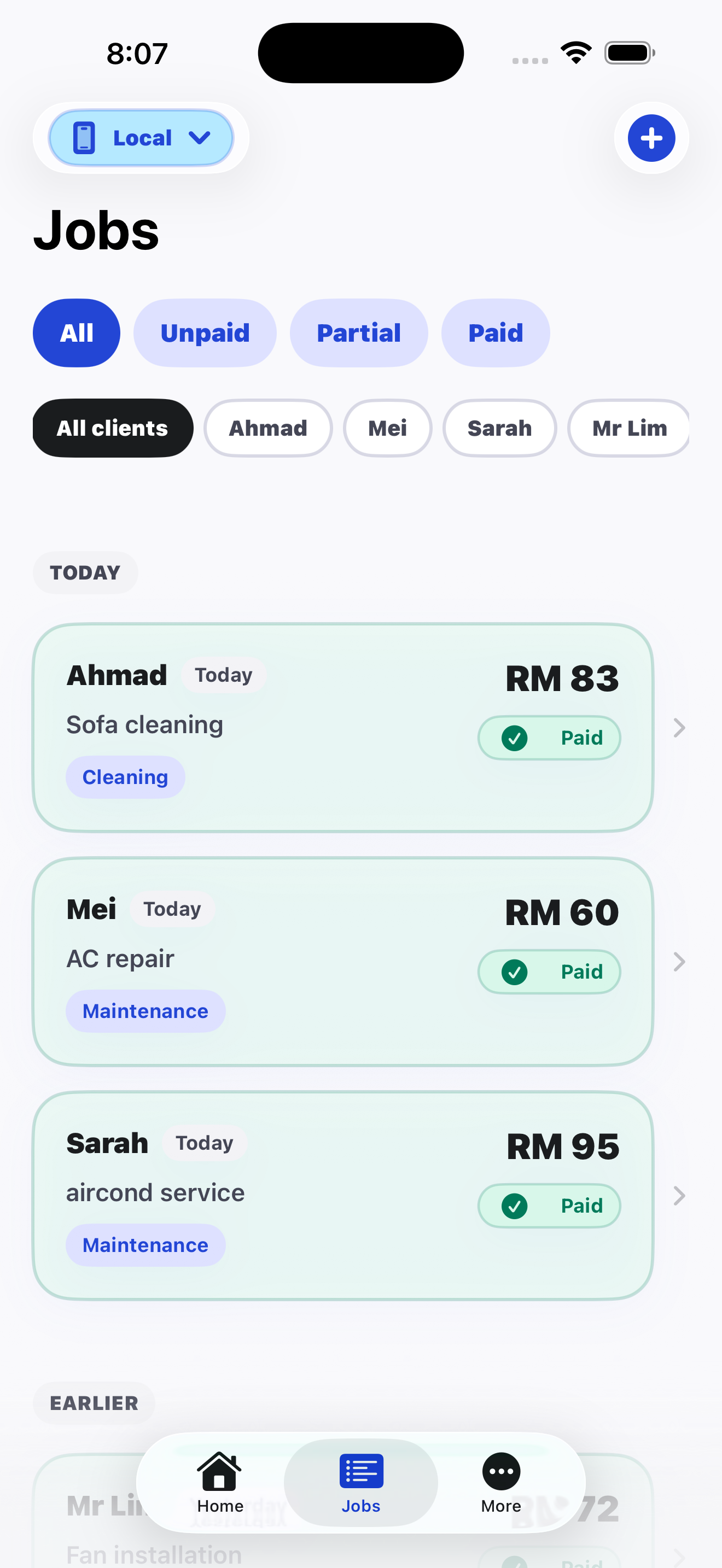
WhoPaid helps freelancers and service workers track jobs, partial payments, unpaid balances, and payment reminders from one simple iPhone app.
A focused job and payment tracker for people who get paid per job.
Download WhoPaid free and keep your next job, payment, and follow-up in one place.
WHO PAID 2.0
Reminder
Set reminders for unpaid and partially paid jobs, scheduled using the user’s device time.
Partial
When a customer pays in parts, record each payment and keep the remaining balance clear.
Reports
See monthly payment status, top unpaid clients, best earning days, and unpaid-only views.
Sync
Start locally, then use Apple sign-in when you want backup, sync, Pro, and invite rewards.
Client, work, amount, and date in a few seconds.
Paid, unpaid, or partially paid stays obvious.
Reminder notifications keep unpaid work visible.
Add job
Takes a few seconds.
Client
Job
Amount
Date
WhoPaid stays focused: log jobs, see unpaid work, track partial payments, and set reminders. It is not an invoice system or a complex accounting suite.
Service jobs
Sarah
TodaySofa cleaning
CleaningRM 118
Daniel
Unpaid (3 days)Pipe leak fix
RepairRM 176
Mr Lim
YesterdayFan install
InstallationRM 90
Anna
Unpaid (2 days)Tile repair
RepairRM 143
FREE AND PRO
Start tracking jobs and payments without setup.
RM 0
For users who rely on WhoPaid for more jobs and reporting.
Monthly / Yearly
FAQ
Clear answers for freelancers and solo workers comparing notes, spreadsheets, invoice apps, and job payment trackers.
WhoPaid is a simple iPhone app for tracking jobs, paid and unpaid work, partial payments, reminders, notes, and daily collected income in one place.
It is made for freelancers, cleaners, repair workers, handymen, aircond technicians, plumbers, electricians, contractors, and solo workers who get paid per job.
Yes. Each job can be paid, unpaid, or partially paid. You can also record partial payment history and set reminders so unpaid work stays visible.
No. WhoPaid is intentionally simpler. It is for fast job and payment visibility when a spreadsheet, WhatsApp chat, or full accounting tool is too slow for daily field work.
No. You can start recording locally first, then use Sign in with Apple when you want backup and sync.
You already do the hard part: the work.
Don’t let weak tracking steal your income.
Log your next job in under 30 seconds.
See unpaid jobs clearly.
Follow up on time.
Get paid with less stress.
Available now
Free to download
No complicated features
Just track your jobs and payments.
Download WhoPaid free on the App Store
Download WhoPaid free and keep your next job, payment, and follow-up in one place.
First job added
Active list
1 job
John
TodayDoor lock repair
RepairRM 147